Generated images and a recorded video frame · made with Photoproduct
ONE IDEA, CARRIED FORWARD
Meet the character. Then watch her move.
An identity portrait became an outfit reference. That reference fed both a character sheet and a video. The same character then picked up a product photo and spoke for it.
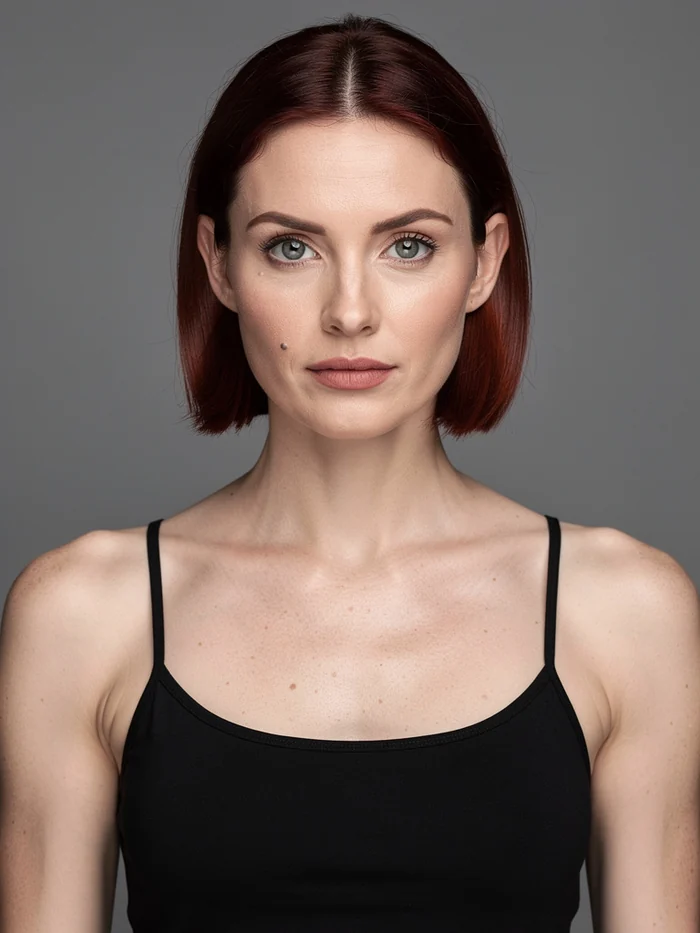
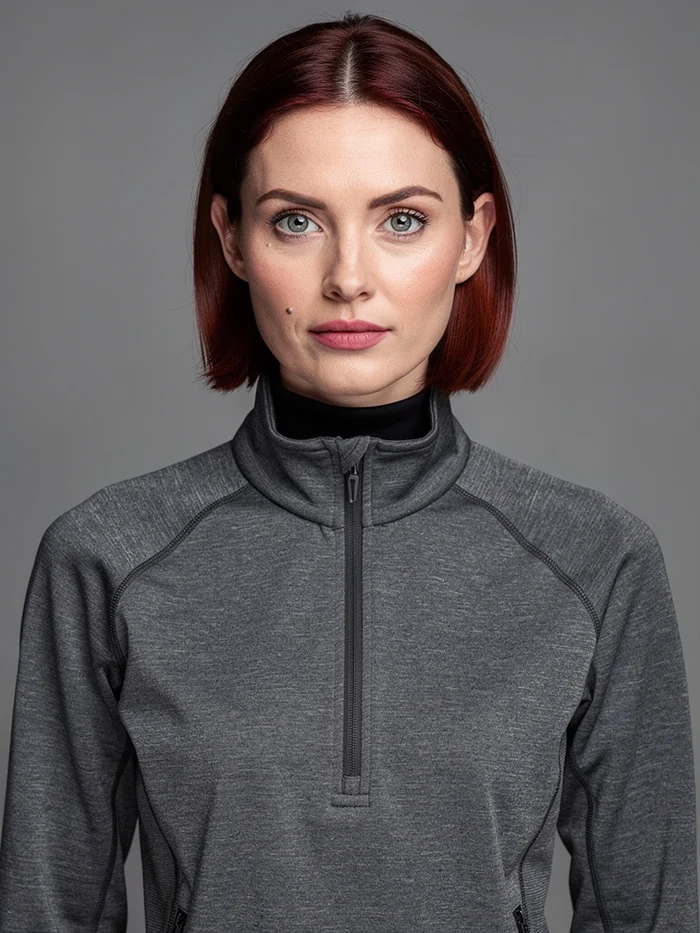
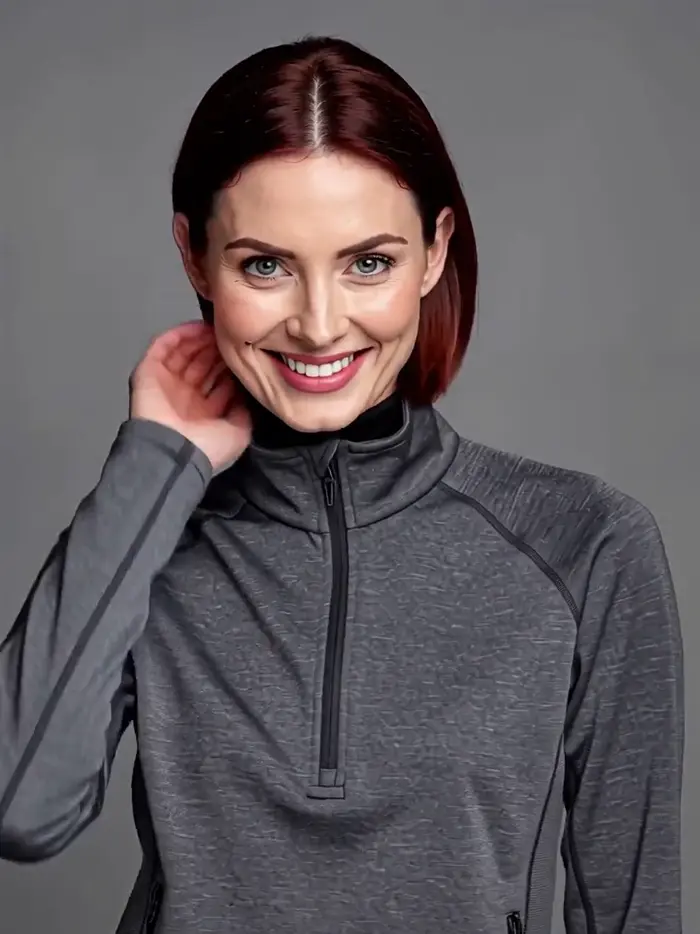
Look at the face and beauty mark: the original portrait on the left, the final video frame on the right. These are the actual outputs from a recorded MCP workflow.
20 credits$2.00 · five successful jobs
Recorded 1 Oct 2026. Historical cost; current estimates vary by model and settings.
The starting portraitThe final video frame
MOTION + SPEECH
She turns. She speaks. Still her.
Play the recorded 5.17-second MiniMax H3 video with sound. The outfit reference and a quoted line in the prompt produced motion and speech in one call.
YOUR PRODUCT
Now she holds your product.
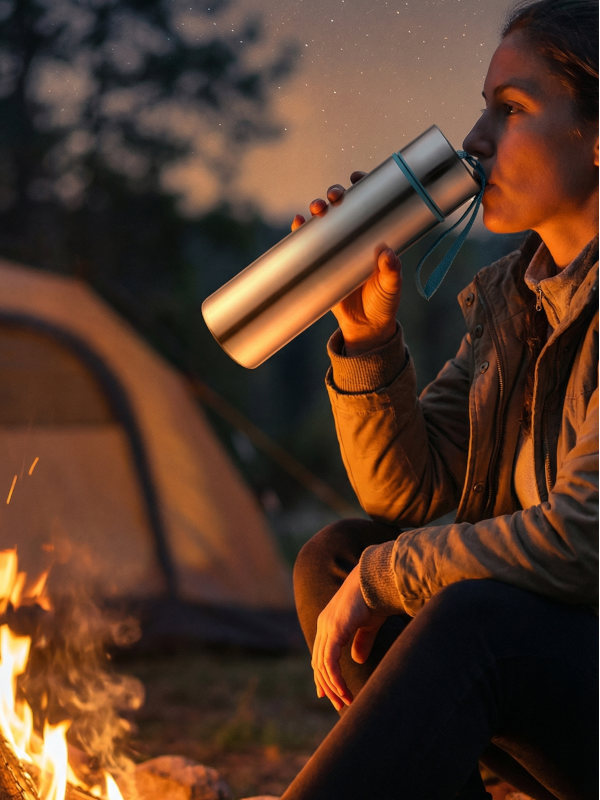
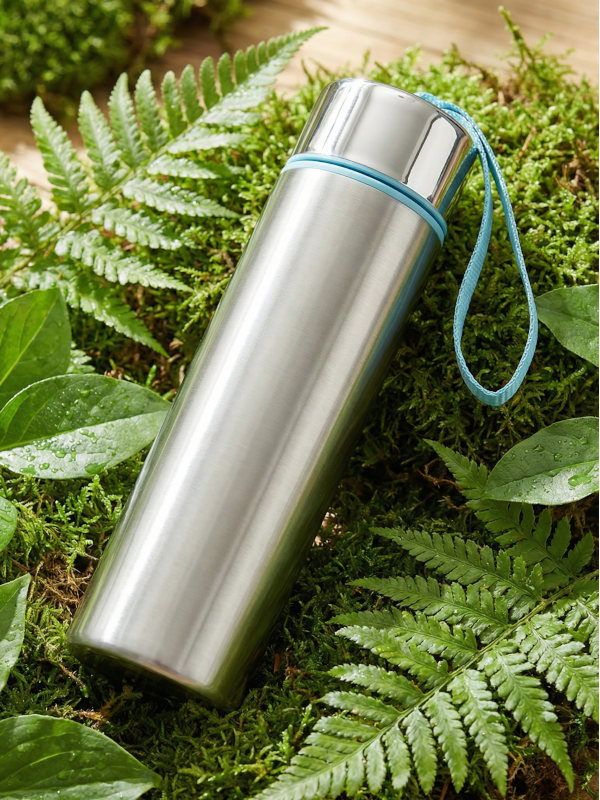
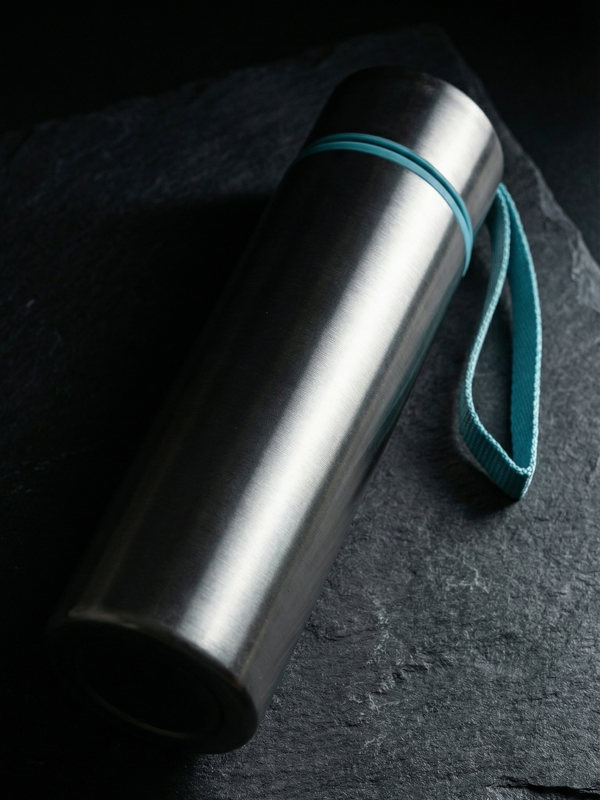
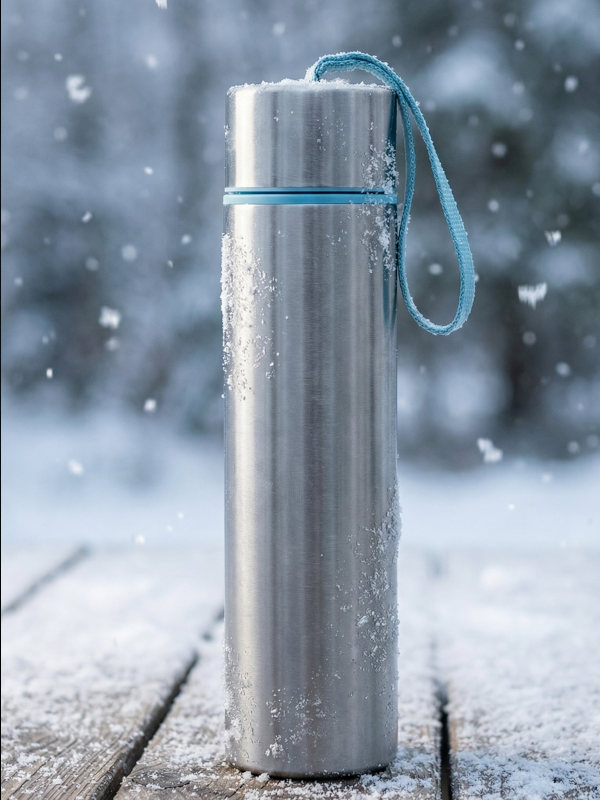
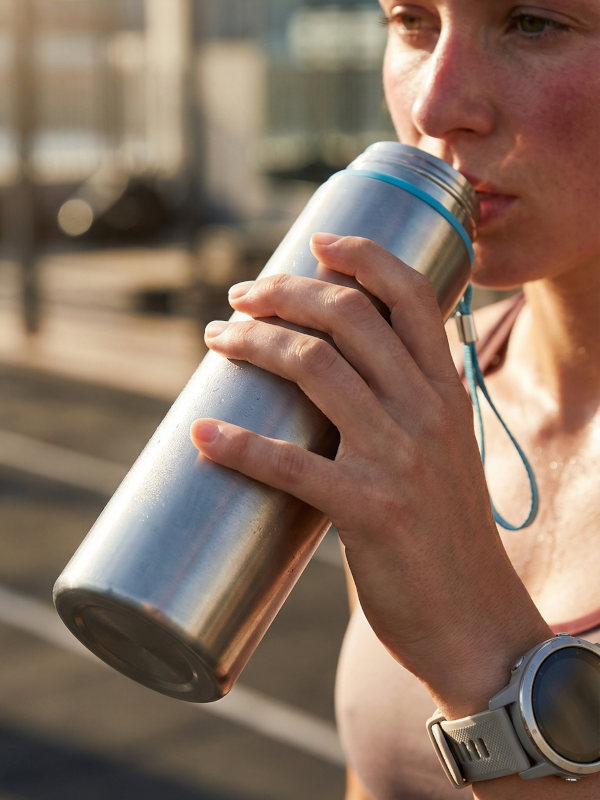
The same character, a photo of your product, one call. MiniMax H3 reference-to-video took the character plates and the product shot as references and generated the motion and the spoken line together — 5 seconds, 2K, 13 credits.
Explore all five steps, exact prompts and costs ↗
01 / A REAL MCP WORKFLOW
One character. Across generations.
A fresh model call has no memory of the last one. This recorded workflow carries identity forward with prompt_guide instructions and completed job references.
20 credits
$2.00 total · five successful jobs
Recorded 1 Oct 2026 · historical cost
01 · Original face lock04 · Final video frame
From the original face lock to the final video frame: the character’s face, eye colour, auburn bob and beauty mark remain recognizable.
Playback of saved outputs, not live generation. To create your own, sign in with Google and create an MCP bearer token.
Face lock → outfit → character sheet + video
The sheet and video both use the outfit’s job_ref. The video includes speech; the music bed is generated separately. No image download or re-upload between calls.
No file inputSaved output
OBSERVED IN THIS RUN
This first plate establishes the character’s face, hair, eyes and beauty mark for the following generations.
STEP 1 / 5 · 1 CREDIT
Face lock
flux-2-pro
A 3:4 identity plate: forehead to upper chest, arms down, hands out of frame. The 12-point face-lock grammar fixes bone structure, hair, makeup and identity markers on a flat 18% gray field with shadowless lighting.
Read & copy the full recorded prompt and arguments
Full recorded run arguments
{
  "model": "flux-2-pro",
  "params": {
    "prompt": "A clean cinema-character-reference 3:4 headshot, framed from forehead to upper chest with the face filling most of the frame. A Northern European woman in her early thirties, lean athletic build, fair skin with a cool neutral undertone and a matte finish. Dark auburn hair in a deep copper-brown, cut to a blunt chin-length bob with a centre parting tucked behind both ears, fine baby hairs at the hairline. Strong angular features: high wide cheekbones, a square clean jawline, a straight narrow nose, thin upper lip with a fuller lower lip. Wide-set grey-green eyes, level outer corners. Straight dark brows, natural thickness, low arch. Bare skin register, no visible makeup, no liner, no lash drama. A small flat beauty mark below the outer corner of the left eye and no other facial markings: no freckles, no piercings, no tattoos, no scars. Both arms down at her sides, hands not visible, nothing in frame but head, neck, shoulders and upper chest. Plain black thin-strap camisole, no jewellery, no logos, no graphics. Body squared to camera, head level, neutral relaxed expression, eyes to camera, lips closed. BACKDROP: a single flat 18% neutral gray field, one uniform value at every pixel, corner to corner, no seam line, no gradient, no hotspot, no vignette, no falloff. It is a flat colour field, NOT a photographed backdrop: no surface, no floor, no wall, no corner, no horizon. LIGHT: completely flat shadowless illumination, one enormous soft frontal source at camera position, matched equal fill from camera-left, camera-right, above and below, so both sides read at exactly the same brightness. No key-and-fill ratio, no modelling, no shadow side, no nose shadow, no under-chin shadow, no rim light, no hair light, no kicker, no specular hotspot. Extremely low contrast, even, milky, catalogue-flat. NO SHADOW OUTSIDE THE SUBJECT: no cast shadow, no contact shadow, no drop shadow, no ambient occlusion where the body meets the background, no darkening behind the shoulders, no halo, no edge darkening. Shading exists only on the subject and stops cleanly at the silhouette. No light bleed, no spill, no glow, no bounce, no reflected colour cast on the background. Skin reads matte and velvety with light natural sheen on the high points only, no oily shine, real fine even pore texture, real peach fuzz at the jaw and hairline, subsurface scattering reading as semi-translucent biology. Skin renders at its true tone, never darkened, never pale, never washed-out, never cool-shifted by the background. Never plastic, never doll-skin, never waxy. Even sharpness edge to edge. No depth-of-field falloff, no bokeh, no background blur, no lens vignette, no distortion, no flare, no bloom, no chromatic aberration, no haze. Photographed on a 50mm prime. Photographed, not generated. No text, no letters, no numbers, no watermarks anywhere in the image.",
    "image_size": "portrait_4_3"
  }
}
Pass the full argument object to the MCP run tool. To reproduce the workflow, use your own returned job references; these references identify the recorded jobs.
1 of 5
Recorded costs: 1 + 1 + 1 + 13 + 4 = 20 credits. Current model estimates are available in the live catalog below.
MCP quotes use $0.10 per credit, rounded up to whole credits. Your pack’s purchase price is shown in pricing. Parameters and inputs can change a model’s estimate.
Buy credits when you need them. Choose your pack, then spend them on the work you want to make.
Loading current credit packs…
Credits are a balance, not a fixed number of images. Each generation uses credits according to its model, settings and inputs. Browse current model estimates before choosing what to make. Google sign-in is required to purchase and generate.
No. Use the browser workspace to generate images, refine them in chat and work with video. MCP is the additional route for people who want their AI agent to call generation tools.
Can I start without a reference photo?
Yes. Start with a text prompt. Reference images are optional in Image Chat and useful when you want to guide a person, product or scene. Individual MCP models may require specific file inputs.
Where do I make music and speech?
Connect your agent to the MCP server to explore music, speech and other audio models. The live catalog lists the available categories and model requirements.
What do I need to connect my agent?
Sign in with Google, open Account → Agentic AI, and create a bearer token. Save it when it appears: it is shown only once. Add the MCP client config above to a compatible client.
How many images will a credit pack make?
There is no single conversion from credits to images. Cost depends on the model, settings and inputs. The live catalog labels default estimates, input-dependent estimates and output-duration ceilings.
Is there a monthly subscription?
No. Buy a credit pack when you need more. Credits remain available as long as your account stays active; see the Terms of Service for the full conditions.
START WITH THE IDEA YOU ALREADY HAVE
You’ve pictured it. Now make a first version.
A new image. A scene in motion. A workflow your agent can run. Start with one thing you want to create.